A Collection of Web Customizations
I make a bunch of modifications to my web-browser experience, mostly through userscripts or custom CSS. These tend to be either too specific or too jury-rigged to make sense to publish, but for the ones that could be more generally applicable, I'll catalog them here. Most of these end up being for Google Apps, because there's a lot of things about their styling that annoy me.
Custom Bookmark Favicons in Firefox





I use Firefox as my main browser, and overall I'm very happy with it. However, one thing I like to do is to assign custom favicons to different sites to make them easier to spot in the tab bar.
There are many Firefox add-ons that allow you to assign custom favicons to URLs or URL patterns, but due to the way Firefox grabs bookmark favicons, none of these add-ons let you show those favicons in the Bookmarks bar.
The proper way to get around this would be to fix this in
Firefox. In the meantime, we can get around this with a
(somewhat silly) solution. I host a stateless HTTP API at
0xA.click that accepts two GET
arguments: p, a URL-encoded
png;base64 string with your
chosen favicon, and u, the target
URL you want to go to.
The API will return a bare-bones HTML page that sets the
favicon and then meta redirects
your browser to the target page. It keeps no logs and has a
Cache-Control header of 1 year, so
your browser should only have to send a request on bookmark
creation and then annually afterwards.
(Show code)
import base64
import urllib.parse

def lambda_handler(event, context):
    # Get query params
    params = event.get("queryStringParameters", {}) or {}
    p = params.get("p")
    u = params.get("u")

    favicon_data = ""
    if p:
        try:
            # Decode URL encoding
            p_decoded = urllib.parse.unquote(p)
            favicon_data = f"data:image/jpeg;base64,{p_decoded}"
        except Exception:
            favicon_data = ""

    redirect_meta = ""
    if u:
        u_decoded = urllib.parse.unquote(u)
        redirect_meta = f'<meta http-equiv="refresh" content="0;url={u_decoded}">'

    # Build HTML response
    html=f'<!doctype html>{f"<link rel=icon href={favicon_data}>"if favicon_data else""}{redirect_meta}<style>body{{background:#000}}</style>'
    return {
        "statusCode": 200,
        "headers": {
            "Content-Type": "text/html; charset=utf-8",
            "Cache-Control": "public, max-age=31536000, immutable"
        },
        "body": html
    }
I must note that using this extension is not particularly smart from a security perspective, as it leaves you vulnerable to redirection attacks by either (A) me or (B) anyone who manages to break into my AWS account. The smarter thing to do would be to self-host this lambda, or (probably best) to just deal with default favicons.
However, if you want custom favicons and are comfotable sacrificing some security, then please feel free to use it. I also maintain a Firefox add-on (linked above) which combines the API with normal local favicon injection and does some additional trickery to dodge Firefox's strange favicon caching behaviors.
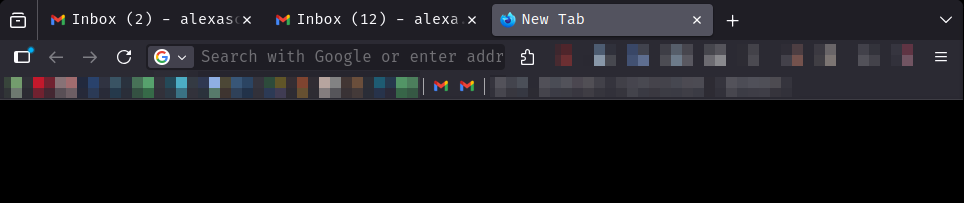
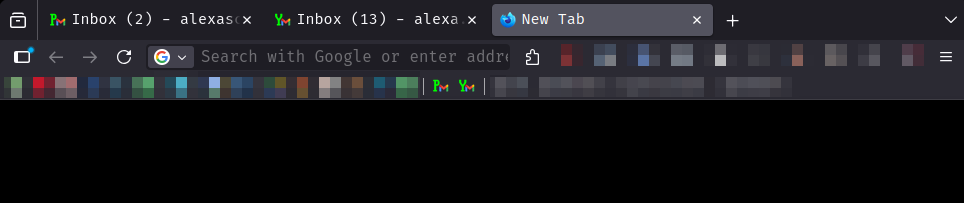
The custom favicons look like the following (example: "Pm" favicon for personal mail, "Ym" favicon for Yale mail):
Better Google Sheets tab coloring
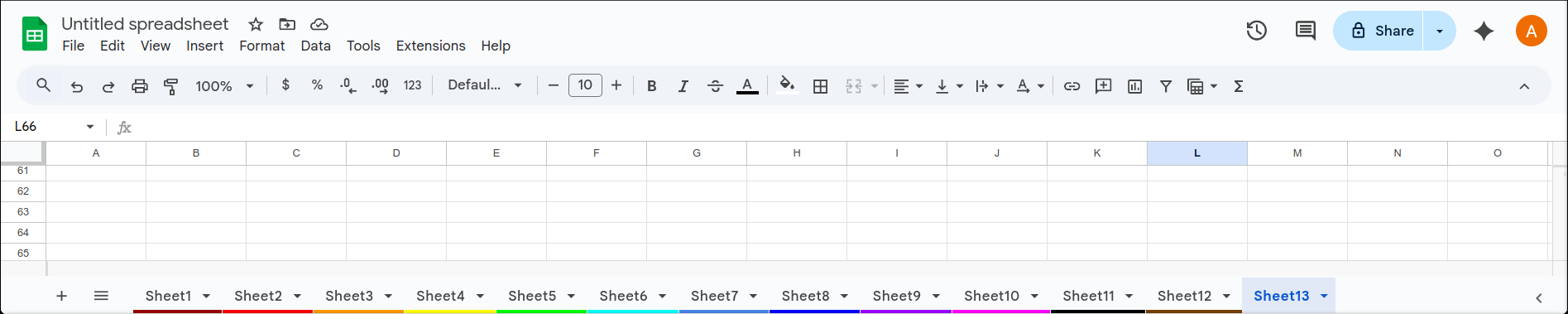
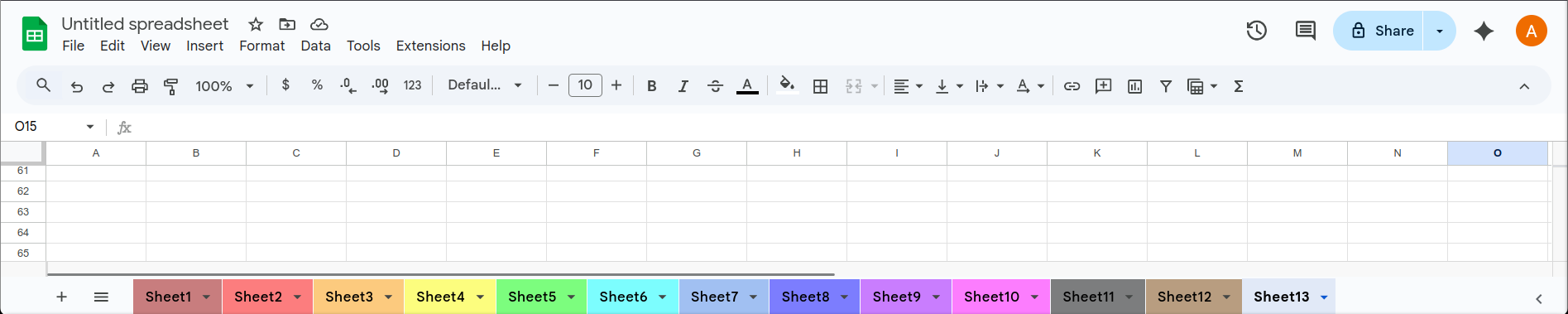
Excel is great, but I more often reach for Google Sheets out of convenience. With spreadsheets I find it helpful to color-code spreadsheet tabs (sheets), but unlike in Excel, in Sheets the tab colors are only a small bar along the bottom.
With the following CSS injected into all
docs.google.com/spreadsheets/*, we can reproduce the
Excel behavior:
(Show code)
.docs-sheet-tab-color {
    height: 100% !important;
    z-index: -1;
    opacity: 50%;
}

div:has(.docs-sheet-tab-color) span {
    color:black !important;
}
This produces the following effect:
Color-coded Google accounts
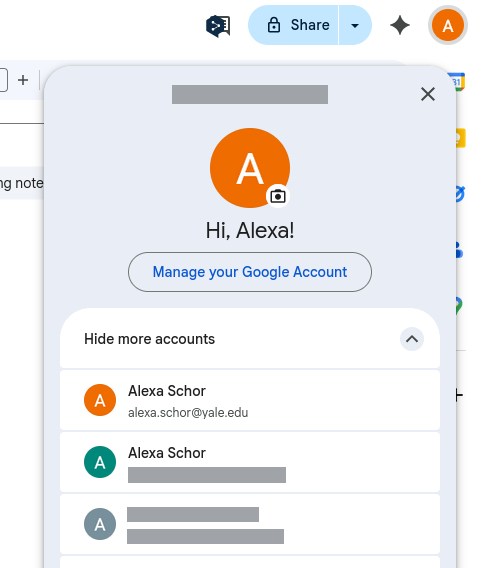
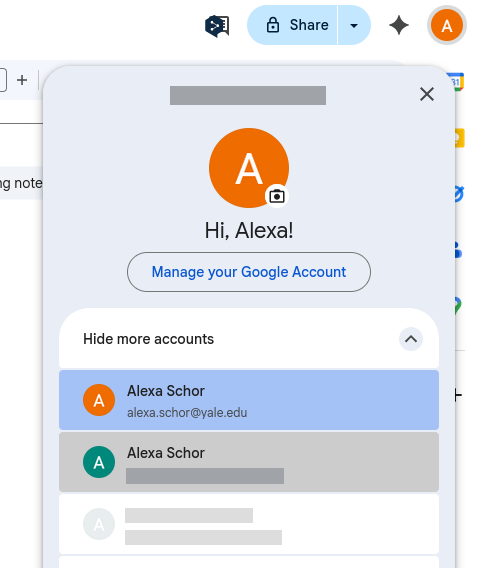
Like many people, I keep several different Google accounts -- a university email, a personal email, one for ham radio, one for Wikipedia, etc. The default Google accounts switcher does show color-coded profile icons and letters for easy switching, but the letters aren't so useful when most of your emails start with the same letter (for instance, the first letter of your name).
I inject the following CSS to all
*.google.com
to give custom color codes to accounts in the switcher:
(Show code)
/* Colored background: */
div[data-identifier="e1@email.com"], a[data-email="e1@email.com"] {
    background-color: #color1 !important;
}

/* To "grey out" an account: */
div[data-identifier="grey@email.com"] *, a[data-email="grey@email.com"] * {
    opacity: 0.7 !important;
}

div:has(> span > div > button[data-email="grey@email.com"]) {
    opacity: 0.3 !important;
}

/* Text color (for dark mode): */
.lPxAeb .yAlK0b {
    color: #444746 !important;
}

.lPxAeb .pGzURd {
    color: #1f1f1f !important;
}
This produces the following effect:
Gmail search bar
One thing that always bothers me is the big gap in the Gmail header bar between the Gmail icon and the search bar. This is particularly noticeable when the window is narrower than about 1000px.
I inject the following CSS to
mail.google.com:
(Show code)
.gb_Qd.gb_pd.gb_qd {
    min-width: 0px !important;
    padding-right: 0px !important;
}

.qp.qp .aJf[method="get"][role="search"] {
    margin-left: -45px;
}

.gb_Qd:not(.gb_Ke) .gb_Fe {
     padding-left: 0px !important;
}
This produces the following effect:


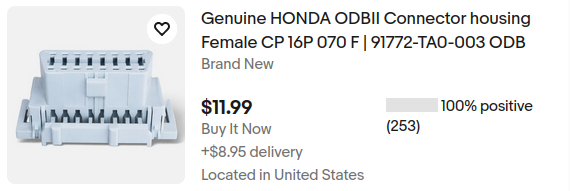
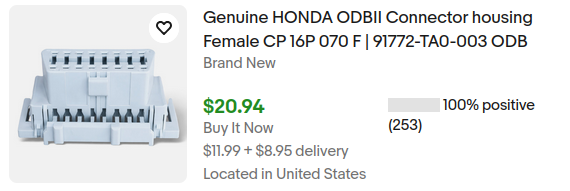
Ebay prices
On Ebay, I prefer to see the item price including any shipping
costs, rather than just the item price and the shipping in small
text below. I inject the following Javascript, along with a minified
copy of jQuery, to
www.ebay.com/sch/i.html*:
(Show code)
(function() {
    'use strict';

  $('.su-card-container__attributes').each(function () {

    // get price
    let priceText = $(this).find('.s-card__price').first().text();
    let price = parseFloat(priceText.replace(/[^0-9.]/g, ''));

    // get shipping
    let shippingText = $(this)
      .find('.s-card__attribute-row:contains("delivery")')
      .first()
      .text();

    let shipping = parseFloat((shippingText.match(/[\d.]+/) || [0])[0]);

    // fallback if shipping not found
    if (isNaN(shipping)) shipping = 0;

    let total = price + shipping;

    let ttf = total.toFixed(2).replace(".00", "");
    let ptf = price.toFixed(2).replace(".00", "");
    let stf = shipping.toFixed(2).replace(".00", "");

    // update displayed price
    $(this).find('.s-card__price').first().html('$' + ttf + '');


    if (shipping > 0) {
        $(this).find('.su-styled-text.secondary.large:contains("delivery")').first().html('$' + ptf + ' + $' + stf + ' delivery');
    }

});
})();
This produces the following effect: